
Create a Website Plugin Key
A Website Plugin key connects the plugin on your website to your account. Each key only shows your account’s data, and only on the websites you list. If someone copies your code onto another website, it won’t load there.
Create a Key
Section titled “Create a Key”-
Go to Account Settings › Website Plugin.
-
In Website Plugin Keys, select Create Website Plugin Key.
-
Fill in the form:
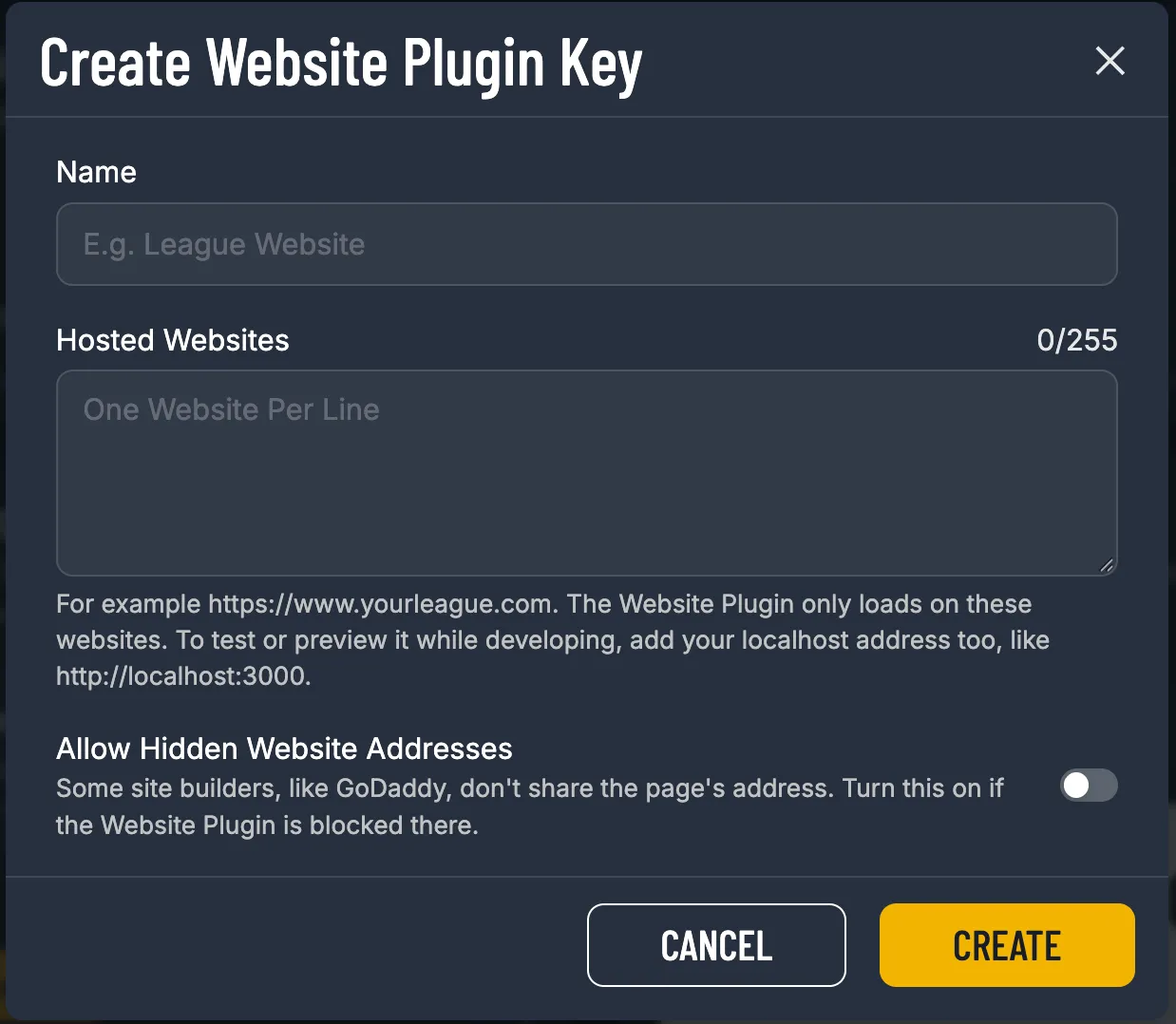
- Name: a name for your own reference, like League Website.
- Hosted Websites: every website that will show the plugin, one per line, like
https://www.yourleague.com. Use just the address, with no page path after it. - Allow Hidden Website Addresses: leave this off unless your site builder blocks the plugin (see below).
-
Select Create. Your new key appears in the list.

The key is filled into the Embed Code under the preview straight away, ready to copy:
<div id="sportninja"></div><script src="https://embed.sportninja.com/embed.js" async></script><script>window.SportNinja = window.SportNinja || [];SportNinja.push(['mount', '#sportninja', {"key": "pk_sn_Y0JtVvplAnMGm1chyf9gOGckpWu8kXMy","view": "organization","orgId": "Ab3dE5fG7hJ9kLmN"}]);</script>
Hosted Websites: Get It Right the First Time
Section titled “Hosted Websites: Get It Right the First Time”| ✅ Works | ❌ Won’t work |
|---|---|
https://www.yourleague.com |
https://www.yourleague.com/schedule (has a page path) |
https://yourleague.com |
yourleague.com (missing https://) |
http://localhost:3000 |
https://www.yourleague.com/* (no wildcards) |
When to Turn On Allow Hidden Website Addresses
Section titled “When to Turn On Allow Hidden Website Addresses”Some site builders, like GoDaddy, load your page in a way that hides its address from the plugin. Because the plugin can’t see which website it’s on, it refuses to load. If that happens, edit the key and turn on Allow Hidden Website Addresses.
Edit or Revoke a Key
Section titled “Edit or Revoke a Key”Each key row has two buttons:
- Edit (pencil): change the name, websites or hidden-address setting. The key itself doesn’t change, so you don’t need to update your website.
- Revoke (bin): turns the key off on every website at once. You’ll be asked to confirm. Websites using it stop showing the plugin.