
Preview Your Plugin
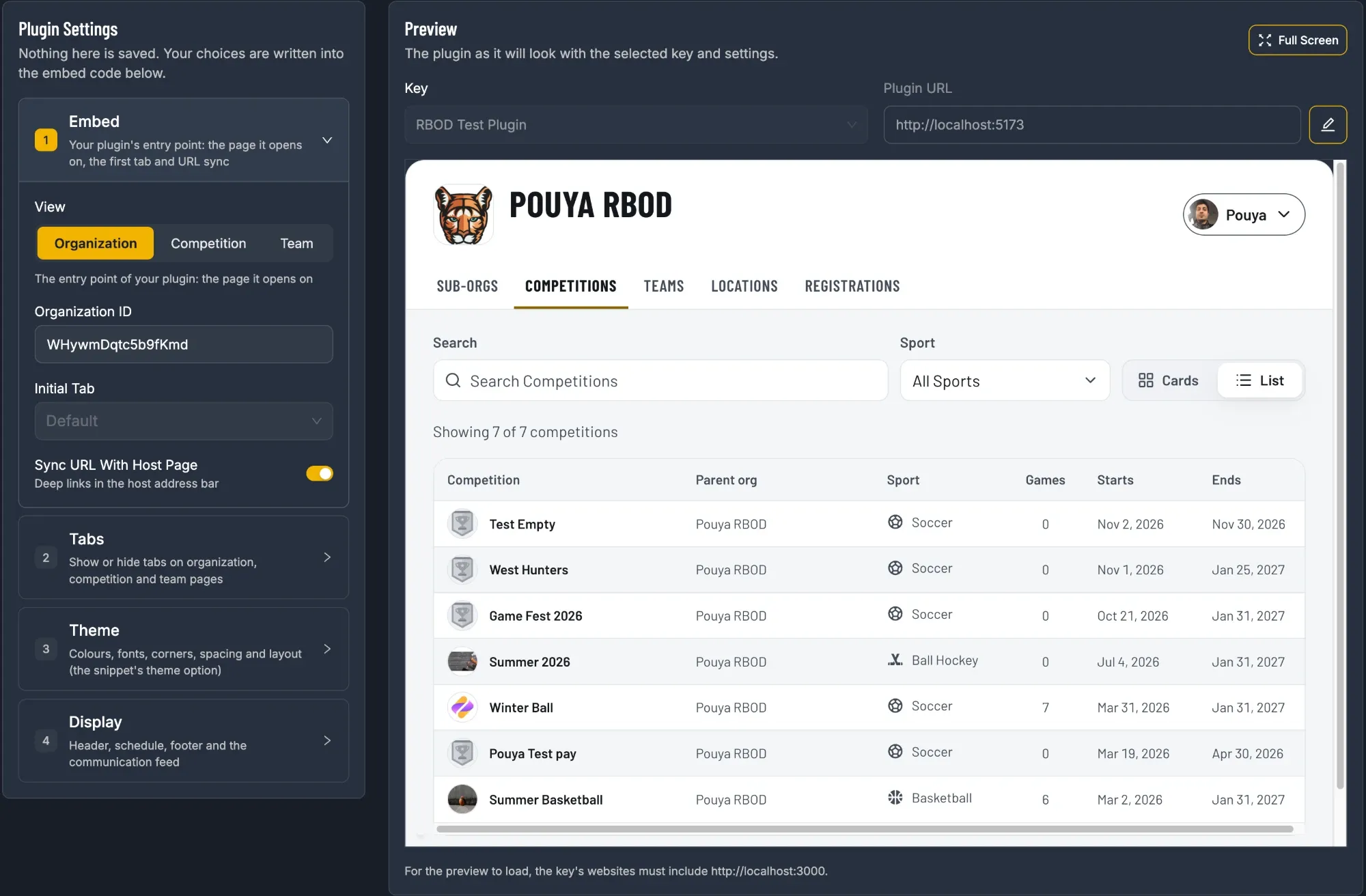
Below your keys, the page splits in two: Plugin Settings on the left and a live Preview on the right. Nothing is saved. Your choices are written straight into the embed code underneath the preview.
1. Choose What the Plugin Opens On
Section titled “1. Choose What the Plugin Opens On”In Plugin Settings › Embed, pick a View. This is the page your website shows first:
| View | Shows | ID to enter |
|---|---|---|
| Organization | Your whole organization: sub-orgs, competitions, teams, locations, registrations | Organization ID |
| Competition | One league or tournament: schedule, standings, stats, playoffs | Competition ID |
| Team | One team: schedule, stats, roster | Team ID |
In the embed code, the View is the view option:
{ "key": "pk_sn_…", "view": "competition", // "organization", "competition" or "team"}2. Enter the ID
Section titled “2. Enter the ID”The Organization ID is filled in for you with your account’s organization. To show a different organization, a competition or a team, paste its ID.
Where to find an ID: open the page in SportNinja and copy the last part of the web address.
| Page | Web address | The ID is |
|---|---|---|
| Organization | sportninja.com/org/Ab3dE5fG7hJ9kLmN |
Ab3dE5fG7hJ9kLmN |
| Competition | sportninja.com/schedule/aB12cD34eF56gH78 |
aB12cD34eF56gH78 |
| Team | sportninja.com/team/Zy98Xw76Vu54Ts32 |
Zy98Xw76Vu54Ts32 |
The ID goes in under a name that matches the View: orgId, competitionId or teamId.
{ "key": "pk_sn_…", "view": "competition", "competitionId": "aB12cD34eF56gH78", // or orgId / teamId}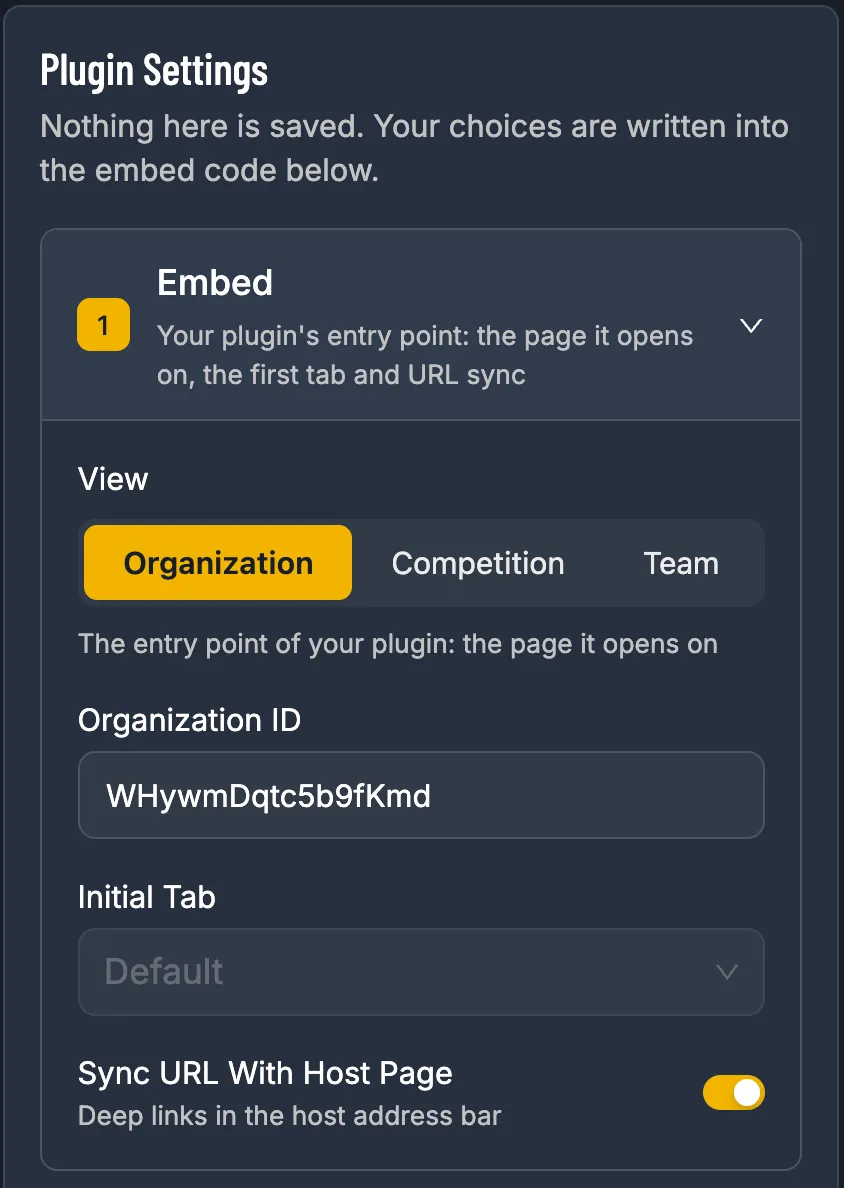
3. Check the Preview
Section titled “3. Check the Preview”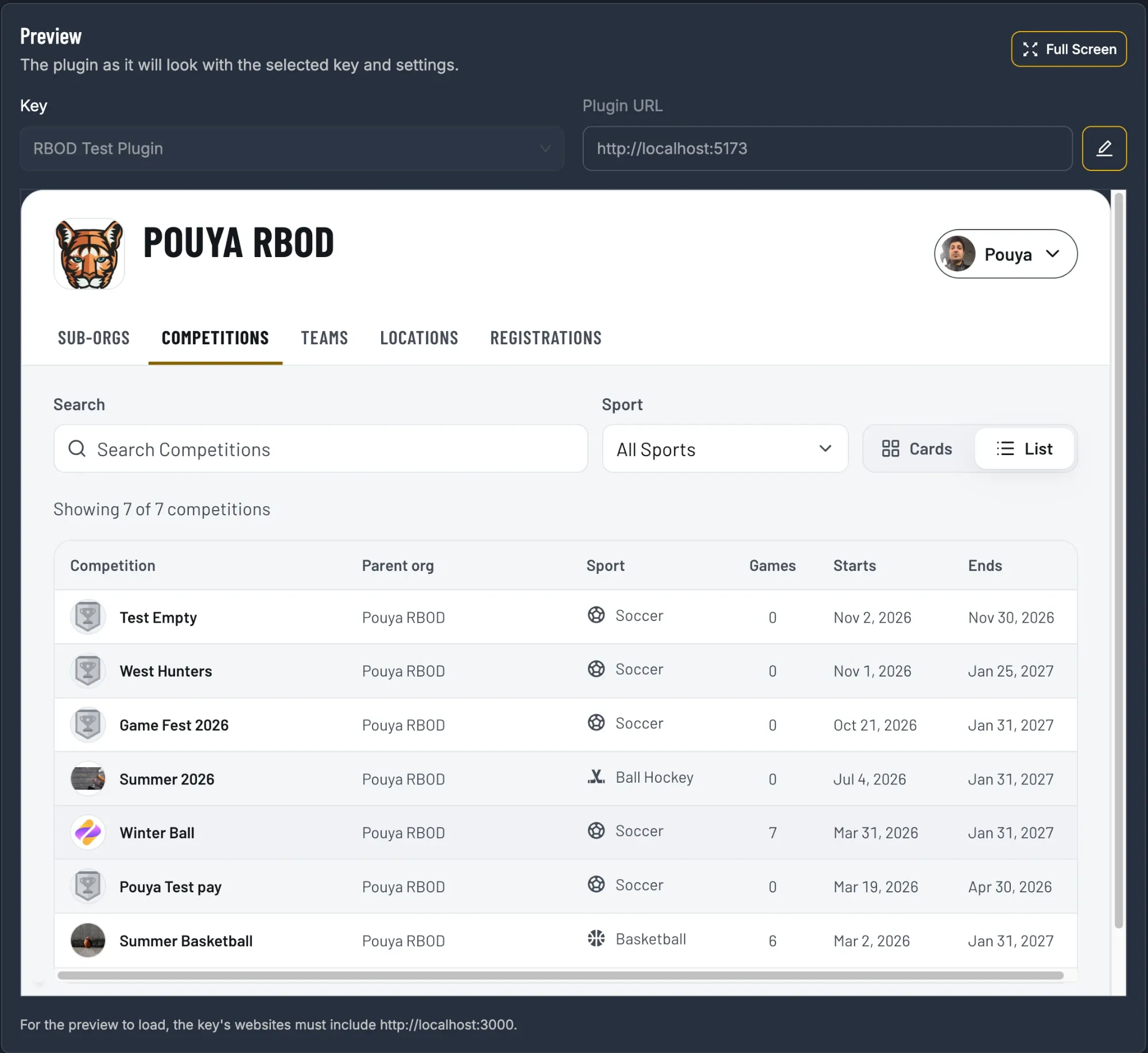
- Key: if you have more than one key, choose which one to preview. The embed code uses the same key.
- Full Screen: shows the settings, preview and code over the whole window. Press Esc to leave.
- Plugin URL: the address the preview loads the plugin from. Most people never change it.
Only the Key reaches your embed code; Full Screen and Plugin URL just change the preview.
{ "key": "pk_sn_…", // the key selected under Preview "view": "competition", "competitionId": "aB12cD34eF56gH78",}If the preview shows a message instead of your plugin:
| Message | Fix |
|---|---|
| Create A Key First | You don’t have a key yet. Create one. |
| Enter An ID | The ID field is empty. |
| Enter A Valid ID | The ID has a typo or spaces. Copy it again from the web address. |
| The plugin says it isn’t allowed here | The key’s Hosted Websites must include the address shown under the preview. Edit the key and add it. |